
Introducing Procure 3: SQLite or SQL Server, your choice
Procure 3 is complete procurement software for fit-out and FF&E projects: budgets, suppliers, RFQs, comparisons, purchase orders, deliveries and payments, all in one place. And it lets every team choose where its data lives.
Two databases, one program
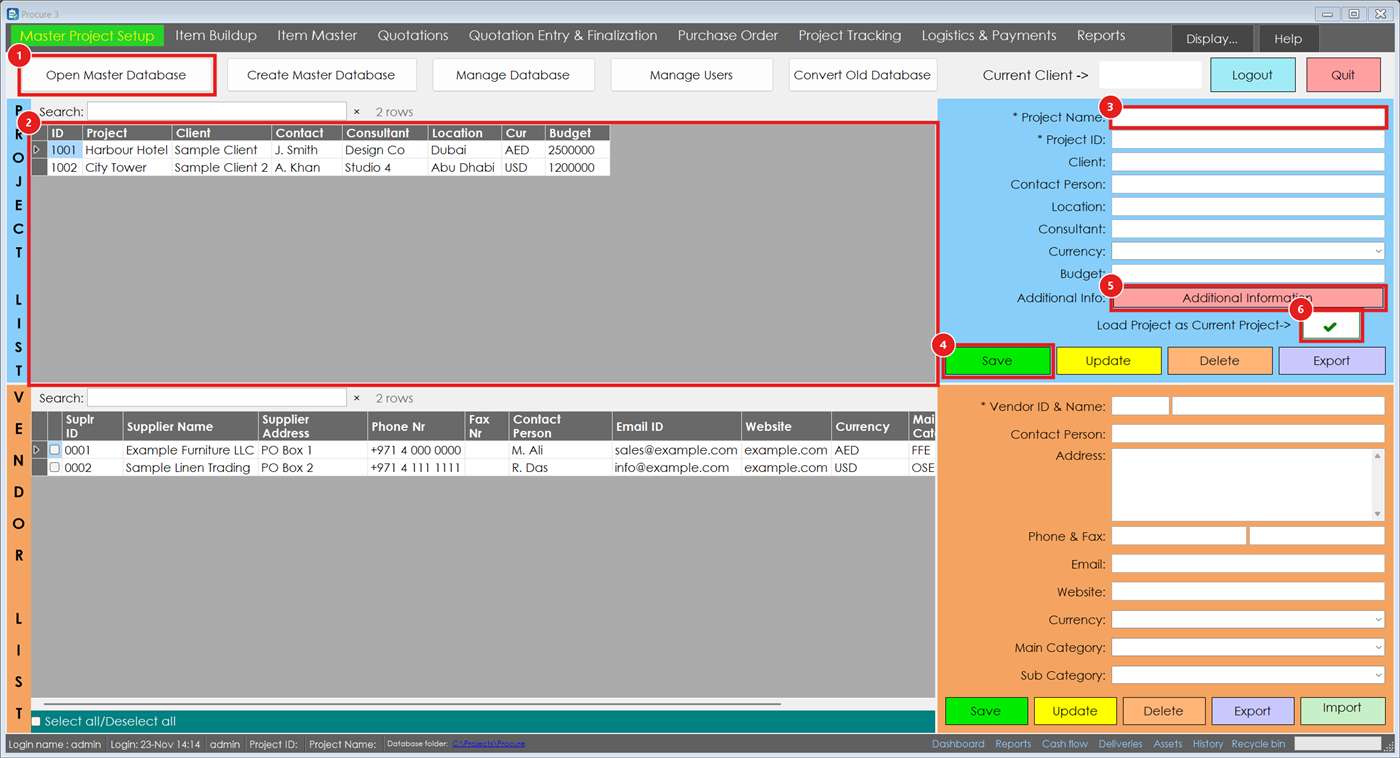
- Encrypted SQLite, out of the box. Each master folder keeps its data in a single encrypted SQLite file, on one PC or a shared network folder, with an automatic backup every day. Nothing extra to install.
- Microsoft SQL Server Express, when you need it. In Manage Database → Database server, type the server and database name, press Test, then move the folder's data across. Every project, supplier, order and payment comes with it.
- And back again. A server database can be copied back to a SQLite file at any time.
- Windows sign-in or a SQL login, and the status bar always shows which database you are on.
Everything else you need
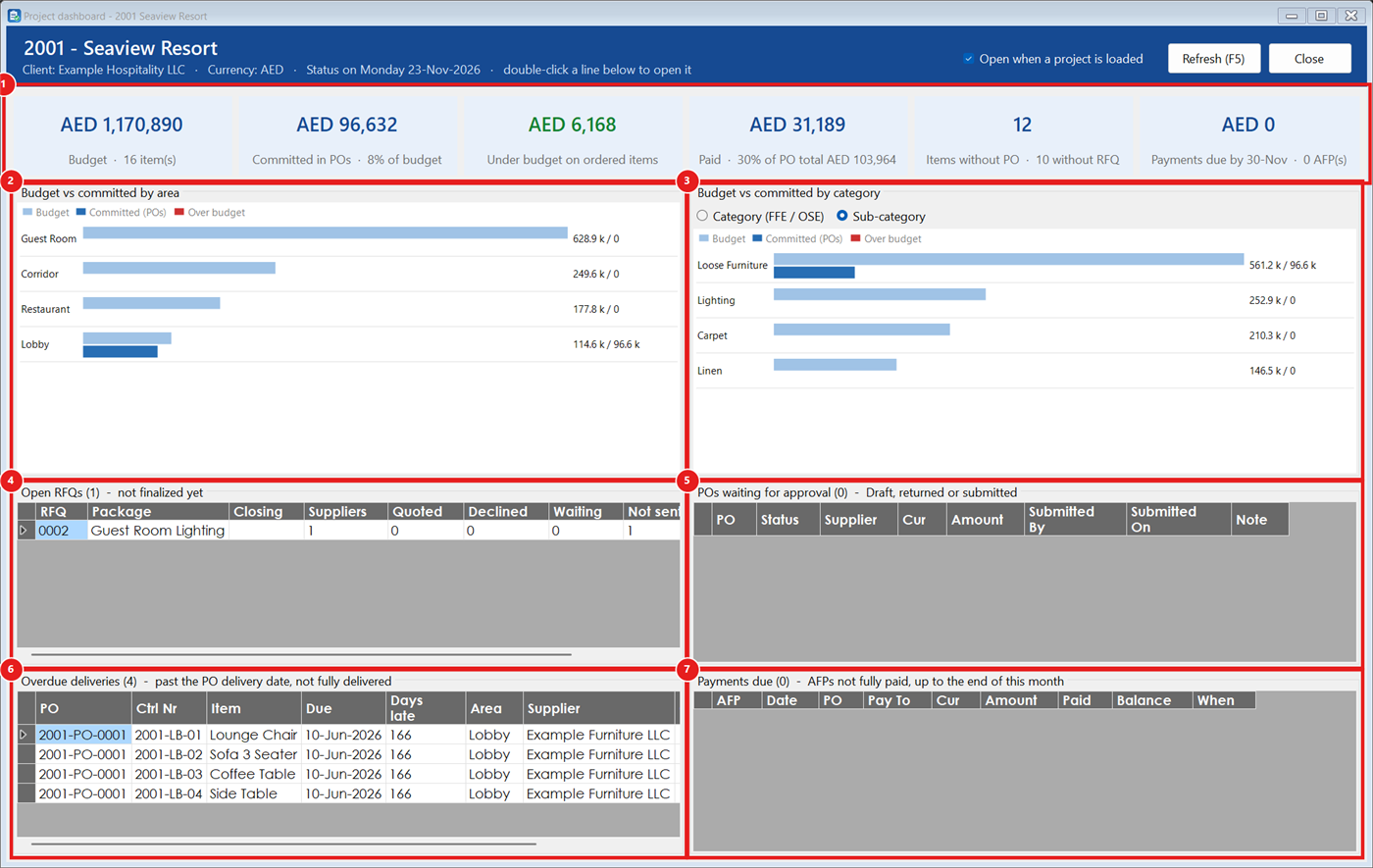
- a project dashboard with budget, committed and paid totals, open RFQs, late deliveries and payments due;
- RFQs e-mailed to every supplier in one step, with a closing date, reply tracking and reminders;
- PO approval from Draft to Submitted, Approved and Issued;
- variation orders and delivery notes;
- a cash-flow forecast read from each PO's payment terms;
- an asset register with QR labels for handover;
- change history, a recycle bin, and a search box above every table.
All of it works the same on SQLite and on SQL Server.
Procure 3 is sold by quote, depending on the number of users and the setup help you need: request a quote for Procure 3.