
PDF Manager
Free utilityA free utility to combine, split, arrange, protect and unlock PDFs.
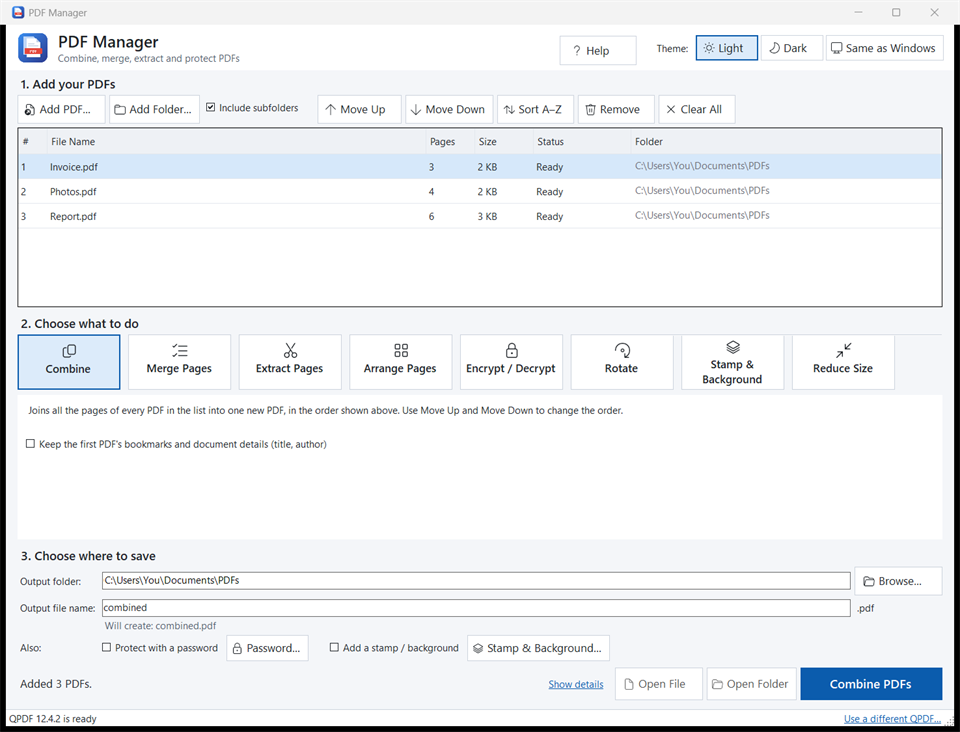
PDF Manager does the everyday PDF jobs in three steps: add your files, choose what to do, choose where to save. It is free for everyone and works offline, so your documents never leave your computer.
Version 1.5.0 · 54 MB zip · Windows 10 and 11 (64-bit) · No installer needed
Features
What PDF Manager does
Combine
Join every page of several PDFs into one, in the order you choose.
Merge pages
Pick just the pages you want from each PDF, like 1-10 from one and 5 from another.
Extract pages
Copy chosen pages into one PDF, one PDF per page, or a new PDF every few pages.
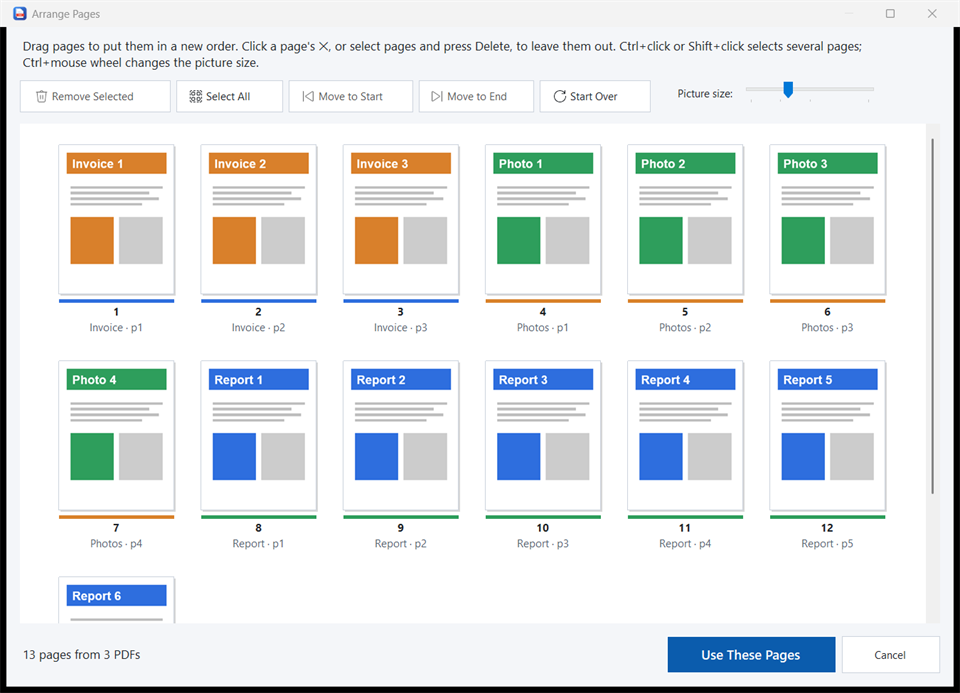
Arrange pages
See every page as a picture, drag them into order and leave out the ones you don’t need.
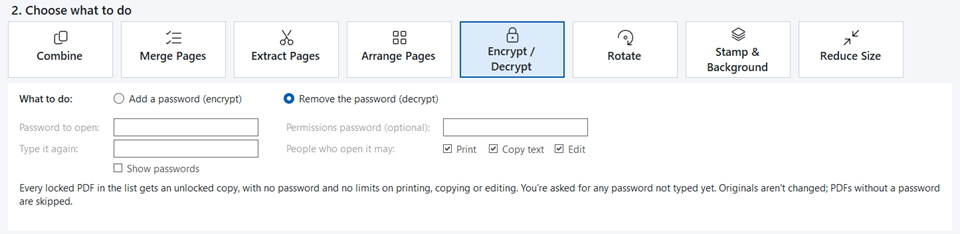
Encrypt and decrypt
Add a password with AES 256-bit protection, or make unlocked copies of PDFs you have the password for.
Rotate
Turn all pages or just some of them, a quarter or a half turn.
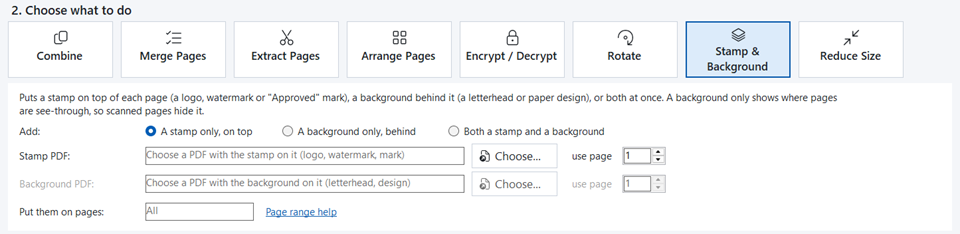
Stamp and background
Put a logo, watermark or “Approved” mark on top, a letterhead behind, or both at once.
Reduce size
Make smaller copies at four levels, from lossless to extreme, with before and after sizes.
How it works
3 simple steps
Add your PDFs
Drag files or whole folders onto the list.
Choose what to do
Combine, extract, arrange, protect, unlock, rotate, stamp or shrink.
Choose where to save
Pick a folder and a name, then press the big blue button.
A closer look
What you need
- 64-bit Windows 10 (version 1809 or later) or Windows 11
- Nothing else to install: unzip it anywhere and double-click PdfManager.exe
- Works fully offline
Questions
Is it really free?
Yes, for everyone. There is no trial period, no watermark on your files and no account to create.
What does it use to work on PDFs?
PDF Manager uses QPDF, a free, open-source PDF tool by other developers, published on GitHub under the Apache License 2.0. It is included in the download.
Windows says it protected my PC. What do I do?
Windows SmartScreen can warn about new programs it hasn’t seen often. Click “More info”, then “Run anyway”.
Are my files uploaded anywhere?
No. Everything happens on your own computer, and nothing is saved until the result has been checked, so an existing file is never damaged.
Get PDF Manager now
Download it, unzip it and double-click to start. Questions or ideas are welcome on the Contact page.
PDF Manager uses QPDF (github.com/qpdf/qpdf), third-party open-source software © Jay Berkenbilt and Manfred Holger, under the Apache License 2.0. See QPDF on GitHub.